
Spend $50, get $25 OFF — applied automatically.
Skip to Content Skip to Navigation Skip to Footer
Join Membership
Season 2 ·

S2E10 – Velocity Makes the Difference

0:00 / 0:00
This media could not be played.

Never Miss an Episode

Get new podcast episodes delivered to your inbox.

Home/Podcast/S2E10 – Velocity Makes the Difference

In this episode I talk to you about VELOCITY.

Velocity is one of the ORGANIC TOOLS from my SAFE SPOTS Book.

There are actually many ORGANIC TOOLS, which come FREE inside of any reputable music program, and it’s really important you learn about ORGANIC TOOLS because they are the foundation of music production when using MIDI (if you are using VSTs.. Virtual Instruments, or One-Shot Drum Samples to make your drum loops).

Further, I explain that the louder you press a piano note, or strike a guitar string, it still produces the same PITCH, but gives you a different TIMBRE (pronounced TAMBER.. it gives you a different sound, but it’s the same pitch!)

(To learn more about sound design and timbre, please view my Sound Design Basics 101 course).

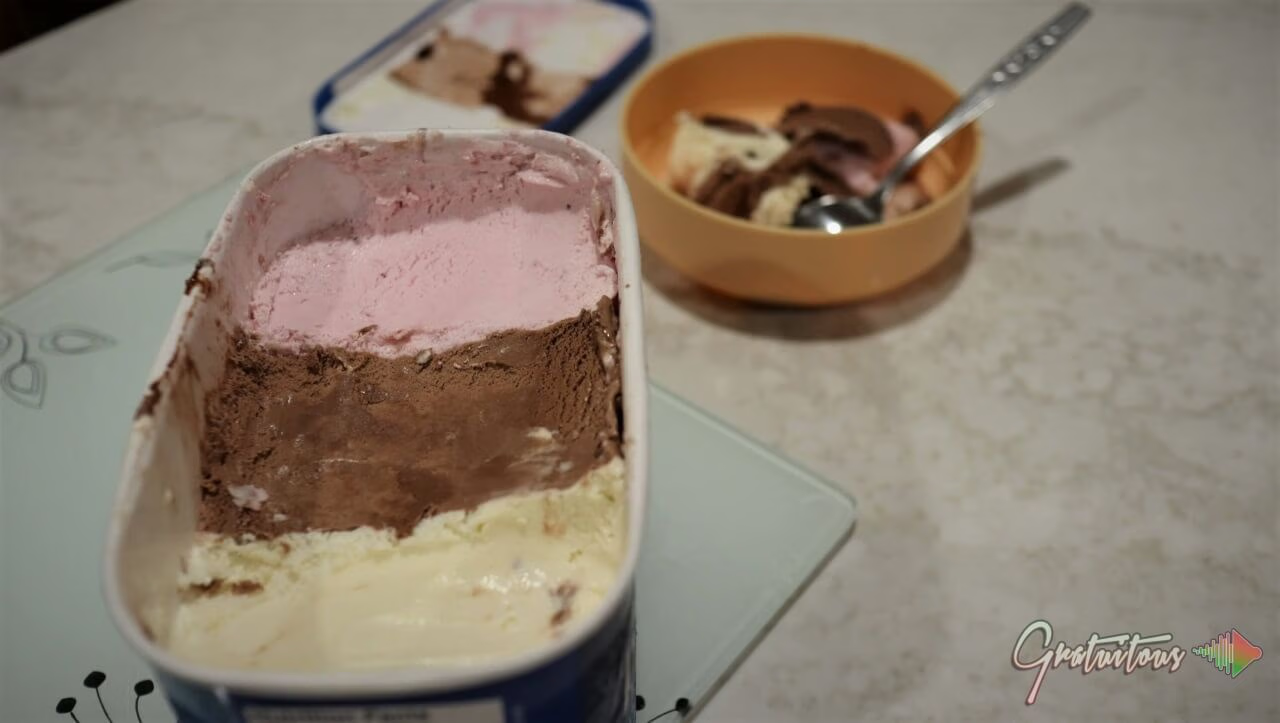
Inside Sound Design Basics 101 Course I teach you that timbre is like Neapolitan icecream. If you press a note on a piano soft or loud, you are still hitting the same note, which produces the same pitch, but you will get a different sound. In comparison to Neapolitan ice cream, it comes with three different flavors. When you eat either Vanilla, Chocolate, or Strawberry, the texture is the exact same, but the flavor is different.

It’s the exact same thing when you press a note soft or loud on a piano, or select a sine-wave or a square-wave in your synth. You play the same pitch, but get a different sound (timbre)!!!
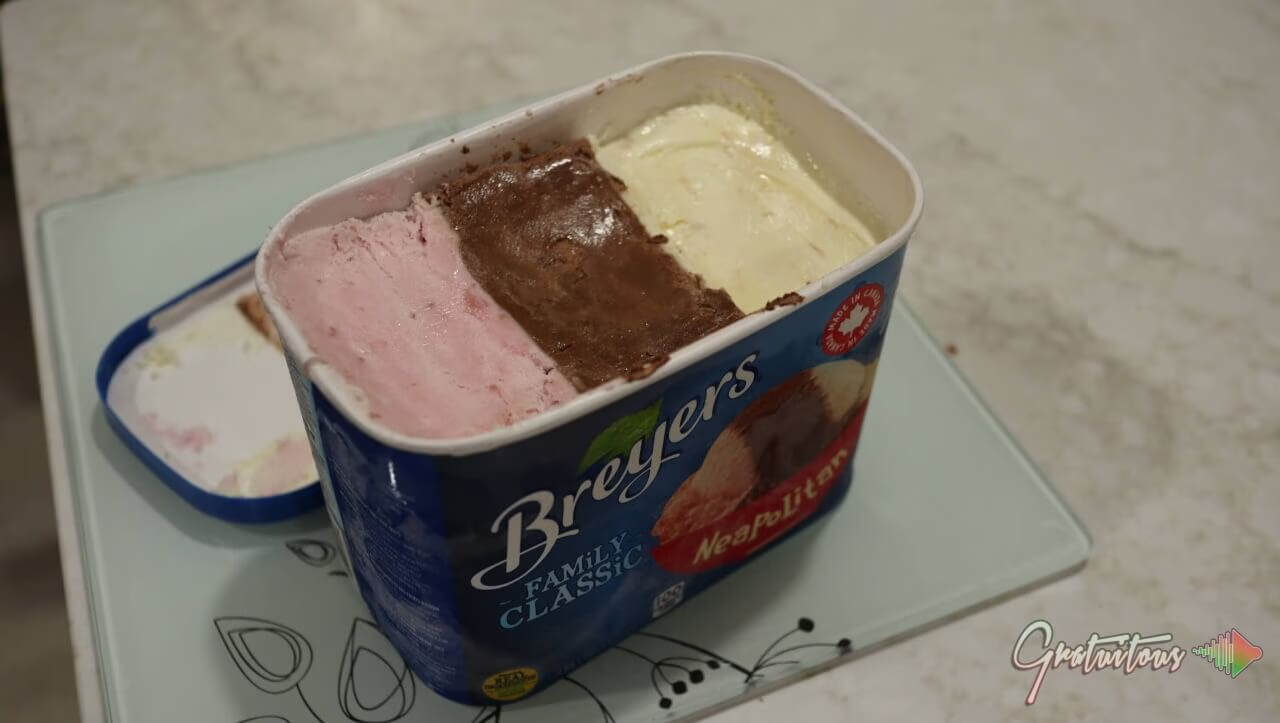
Neapolitan Ice Cream - Sound Design Timbre Example
Neapolitan Ice Cream – Sound Design Timbre Example
Neapolitan Ice Cream - Sound Design Timbre Example
Neapolitan Ice Cream – Sound Design Timbre Example

Once you understand how VELOCITY works inside your music program, and that when you press a note on your MIDI Keyboard, that it sends both the VELOCITY (0-127) and the note it self (A4 for example), then you will start to understand that VELOCITY adjusts not only volume, but it can be used as a very powerful tool to trigger a different sound, which still produces the same pitch, but gives us a different timbre.

To learn more about VELOCITY, and the ORGANIC TOOLS, read my SAFE SPOTS Book to gain a strong understanding of the core fundamentals of becoming a good music producer and take advantage of MIDI, and the ORGANIC TOOLS (which are free), inside FL Studio!

The book can be bought on Amazon by searching “SAFE SPOTS Book Riley Weller”, or on my website for the eBook version, which there is a bundle to grab the SAFE SPOTS Course and the drum samples used for the best experience.

Community

Questions about this episode

Transcript

S2E10 – Velocity Makes the Difference

  1. Season two, episode 10. Velocity makes the difference.
  2. So velocity is so powerful, guys.
  3. If you don't really understand the power of it, it's time for you to start
  4. practicing and trying out how powerful velocity actually is.
  5. Okay. So we use velocity on drums very often, especially for piano
  6. to make it more natural. Now, a couple things I want to talk about velocity in this
  7. episode is first of all, velocity is like the only way how we can make digital
  8. music feel much more real. When we have
  9. a real piano and we press a note lightly, or if we
  10. press a note hard, it's gonna give us a significantly different sound, but
  11. it's going to also stay in pitch.
  12. What happens is the louder you hit the note, the harder that hammer strikes the
  13. string on a piano. And you guys can check up on YouTube, you know how does a piano
  14. work, and just so you can see this.
  15. But I want to introduce you to a word called timbre, and so timbre is like
  16. flavor. If we are using a synth, and if we select a sine wave and we just play that,
  17. you know, it plays like a tone only because it's just like a single frequency.
  18. As soon as we start adding on different shapes, you know, when we use sound design,
  19. we have like a square wave, triangle,
  20. sawtooth.
  21. We have all these different styles of waveforms, and if you're using things like
  22. serum, then it's wavetable synthesis.
  23. So then your waveform is very, very complex, which is very powerful.
  24. but sometimes you can start getting into like heavier phase cancellation, but you
  25. are getting very cool sounds. So when you are selecting different shapes, you are
  26. getting different timbre. are So let's say we playing A4, which is 440 hertz.
  27. If we press it hard, we are still playing A4, 440 hertz.
  28. If we're talking about a real piano, but the difference is yes, it's going to be
  29. louder, but in the mixing stage, if we recorded that with a microphone, we have
  30. control in our music programs to turn the volume up and down, right?
  31. So therefore, volume isn't so much a factor when we're mixing the music.
  32. But what's happening is you're getting a different timbre, a different sound.
  33. Okay, so the pitch, which is the fundamental pitch, and that's how all our notes
  34. stay in pitch, is it's the fundamental of that note.
  35. But on top of the note is what they call harmonics or overtones.
  36. In other words, those are just complex words just for saying frequencies on top of
  37. that fundamental pitch. Okay. So it's just important for you to understand that you
  38. hit that note harder, you get a different sound.
  39. You get a different timbre, is what it's called in the industry.
  40. Just listen to the different sound, but it has the same pitch.
  41. I played it twice in each octave.
  42. Now I teach you this in my sound design basics course.
  43. It's called Sound Design Basics 101 by Gratuitous, or you can look by Riley Weller,
  44. depending on how you know me out there.
  45. Okay, so that's the first thing about velocity.
  46. Okay, so velocity you think is volume, but velocity is actually not volume.
  47. Velocity is a number value from zero to 127.
  48. So it doesn't matter what music program you use, that's how these music programs
  49. work, and that's how MIDI works.
  50. M-I-D-I, right? I always talk to you guys about MIDI is by far the most
  51. important thing as a music producer because it actually gives you ultimate control.
  52. When we record our audio, such as I'm talking to you right now in this podcast, my
  53. voice is recorded. I can't change.
  54. Like if I step far away, like back here, hello, I can't change this.
  55. You're hearing the sound of the room more.
  56. Now I'm nice and close, right?
  57. So that is the downside to recording audio.
  58. And once it's printed, once it's recorded, that's what you work with.
  59. For us as beat makers, we have it so good.
  60. We have it so easy. We have MIDI.
  61. So you play your piano notes. Well, what do you do?
  62. You go, you can adjust them however you want, but then you can also change what?
  63. Velocity. All right. And then you can do this on each individual note.
  64. And FL Studio makes it really easy because you can just click and highlight many
  65. sounds. You can hold down Alt and the scroll wheel when you're in the piano roll,
  66. and you are going to be able to adjust velocity on these virtual instruments.
  67. Now it's important for you to understand that because digital music is essentially
  68. numbers, velocity is how we get that quiet and that loud sound.
  69. So yes, it does volume, but it can also trigger your
  70. virtual instrument to play a different sound.
  71. Okay. So for example, from let's say zero to sixty-four, it's always playing this
  72. certain sound. And it's also adjusting the volume in there.
  73. But then from let's say 65 to 127, then now it's playing a different sound.
  74. And again, depending on how hard you press it, it can also be changing volume.
  75. But what I'm trying to say is how digital computers work is when you press a
  76. note, depending on how fast you press it, okay, it's not how hard you press the
  77. note. And you can test this too.
  78. So for example, if you take a note and if you push slowly but hard on it, obviously
  79. not hard enough to break the key, but you just push it hard as if because you know
  80. you're thinking about oh, that's hard velocity, right?
  81. But no, it's how fast that note is played, which triggers the velocity number.
  82. Okay. So again, in MIDI, there's a new spec coming out, and so but right now we only
  83. go from zero to 127, and that is just the value that we work with in
  84. music production. But just to repeat that, so the MIDI that we've always worked with
  85. is zero to 127. So when you press a note, this is how you're adjusting the
  86. velocity, which can be just volume, but some instruments also change
  87. timbre. Okay, so quite technical, but it's important to understand that this is
  88. velocity. And so now when I talk to you about safe spots and your organic tools,
  89. again, I always talk to you about velocity because that is a free tool that you have
  90. to learn how to use, because that's how we as music producers, that's how we get the
  91. emotion and life into our music.
  92. If every single note was 127, because again we go from zero to 127, that gives no
  93. life to your music. Every note is the same volume, and when it comes to a piano or
  94. just every actually every single instrument, every sound, even if you're playing an
  95. 808, 808s may be a little bit different.
  96. You want them to be pretty consistent.
  97. But pianos, maybe not so guitars, right?
  98. To have the dynamics a little bit, that's how you get a lot of emotion.
  99. And so it all comes down to velocity.
  100. So once you click your sounds in for a drum loop, or once you play your notes, and
  101. then again, if you quantize them, like we talked about in the last episode, now you
  102. can start adjusting velocity. So in addition to the note nudging, okay.
  103. So all these things are again are the organic tools the velocity, the note nudging,
  104. layering, which we haven't talked about in depth recently.
  105. But even quantizing is kind of like your organic tool because it's essentially
  106. quantizing is like note nudging, except you're just note nudging everything on grid,
  107. and then you can go back in manually, note nudge again, so that it's you adding a
  108. more human flavor. Because again, when we have digital music, and if you were to
  109. quantize, everything sounds too perfect.
  110. And then if you don't have a MIDI keyboard, and if you're clicking in your sounds,
  111. or if you're using a computer keyboard, such as like your QWERTY keyboard, you know,
  112. Q W E R T Y, those send a fixed velocity.
  113. And this could really be harming your music because everything's sounding so
  114. perfect. And so when you play off a MIDI keyboard, it helps preserve the more
  115. natural audio, such as like if you were to record, because it's giving different
  116. velocities with each note depending on how fast you press that note, right?
  117. Which again kind of correlates with how hard you're pressing the note, but again,
  118. you can do a test yourself on your MIDI keyboard by how hard you press it versus how
  119. fast you press it. So there you guys go.
  120. Velocity is probably what I don't know, like I wouldn't say like the most
  121. powerful because timing is is probably the most powerful.
  122. If something's not in time, your music is so out of time.
  123. Okay, so your music's gotta be in time, and again, I, I like to quickly quantize
  124. like showed you before with that shift and Q, which quantizes the beginning of the
  125. notes. Then you can go in and use these organic tools, right?
  126. So the organic tools are in my safe spots book.
  127. But even if your beat is on time and if you've note nudged a bit, velocity is
  128. what allows a lot of this note nudging to work.
  129. Okay, like there's techniques out there such as like a flam, or even like with your
  130. drum. So in like a lot of like hip hop, you can have the drum play like one-two,
  131. like really quick. So in FL Studio, remember, like I said, so if we have one beat,
  132. which is a quarter beat, which is four steps, okay.
  133. So in if you're looking at the channel rack, you have four gray steps, right?
  134. And then four red steps. So four gray steps is one beat.
  135. And with safe spots, I tell you that the first step, which is a 16th note, is the on
  136. beat, and then the second one is A in between, the third one is the off beat, and
  137. the fourth one is B in between.
  138. Now, if this is like later on, so imagine it's only beat three.
  139. Okay, so if we have beat one, which is gray, beat two, which is red, beat three,
  140. which is gray. Now again, we apply safe spots.
  141. So we play it on the step one and step two of beat three.
  142. Let's say on step one, that is where you might use some velocity because what's
  143. gonna happen is the drums are gonna be the exact same volume, and it just doesn't
  144. give that ba-boom, right? Because you're turning down the volume of the one drum and
  145. it kind of works its way in. okay, so again, Velocity super super powerful.
  146. And if you guys have any questions about the organic tools, feel free to send me an
  147. email. They are by far the most powerful tools you have in your music program, and
  148. they are free and a lot of you guys aren't taking advantage of them..
  149. If you guys come to it'sgratuitouscom you guys can check out the safe spots book and
  150. I'll be coming out with more training on drum loops and safe spots and a way for you
  151. guys to download the free safe spots guide which teaches you about safe spots and it
  152. also teaches you about the organic tools.
  153. It will be free. You guys can sign up and download it and then I'll just give you
  154. guys an offer if you want to buy the book.
  155. Okay so I hope you guys enjoyed and I'll talk to you in the next episode
GratuiTous Radio Start free Join Membership 0:00/0:00