Spend $50, get $25 OFF — applied automatically.
Skip to Content Skip to Navigation Skip to Footer
Join Membership

SAFE SPOTS · Drum Loops in FL Studio

Struggling With Drum Loops?

SAFE SPOTS teaches you to program drum loops in a step sequencer.. knowing where you're allowed to place your sounds so they sound good, no matter what.

SAFE SPOTS: eBook, Course & Drum Kits

Choose Your Bundle
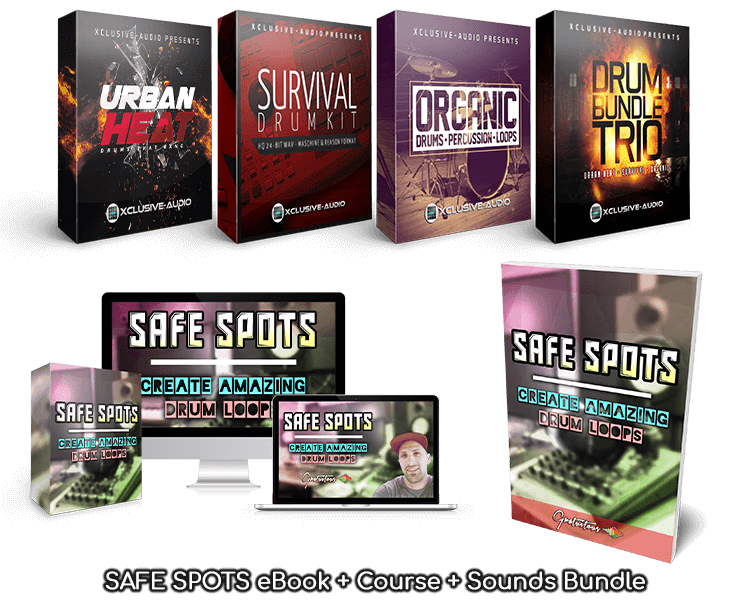
SAFE SPOTS eBook, video course and Xclusive-Audio drum kits
151-page eBook + example projects
10-video course
3 drum kits · 2,300+ sounds

The Method

What SAFE SPOTS Teaches

Drum loops were the hardest part of beatmaking for me.. I couldn't figure out where to place my sounds so they'd stay in time.

After years of practice, I finally discovered each STEP in 1 BEAT has a unique characteristic.. and some are much easier to work with than others.

So I turned that into a curriculum called SAFE SPOTS: the 4 STEPS in 1 BEAT (the BEAT just repeats), and each STEP has its own feel.

Then I went even further with the ORGANIC TOOLS (free in any DAW) to enhance a drum loop.

  • How producers count BEATS (only the music theory you need)
  • The 4 STEPS inside every BEAT, and where each sound is allowed to go
  • Programming drum loops in FL Studio's Channel Rack (step sequencer)
  • The ORGANIC TOOLS: velocity, panning, layering, note nudging and swing
  • Sound selection, tempo, and keeping a loop fresh past 1 BAR

A Quick Warm-Up

The 4 STEPS in 1 BEAT

Here's SAFE SPOTS in two pictures.. what it is, then where it lives in FL Studio.

What Are SAFE SPOTS?
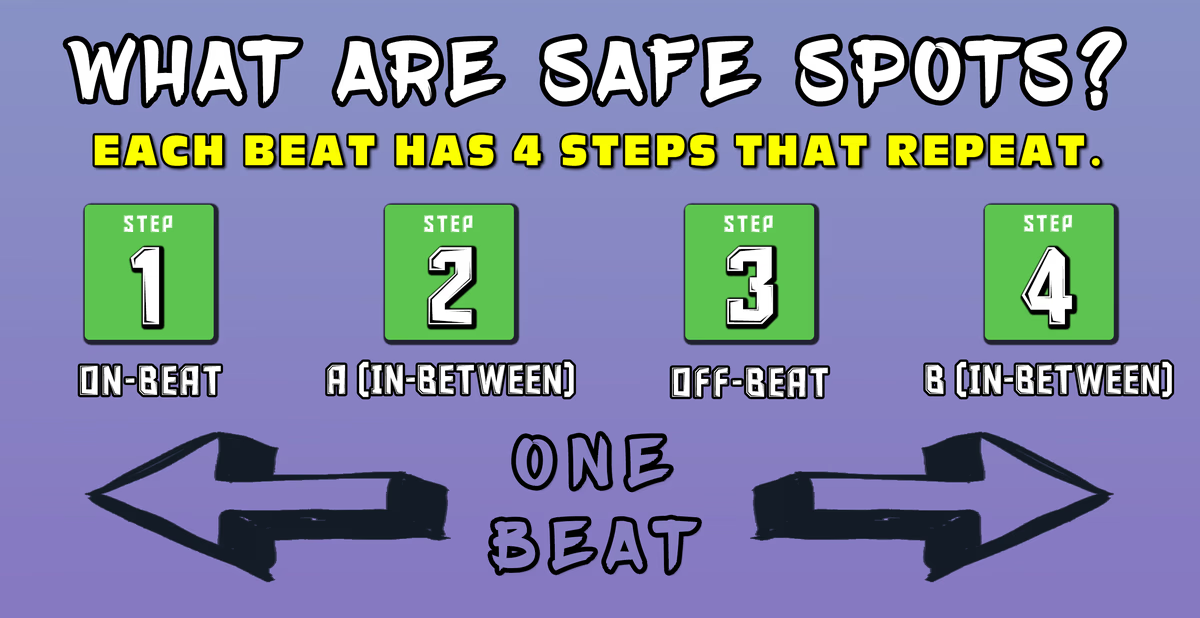
SAFE SPOTS infographic, top section: each BEAT has 4 STEPS that repeat

The top of the SAFE SPOTS infographic (included with the book!)

Every BEAT is made of 4 STEPS, and SAFE SPOTS gives each one a name (ON BEAT, A, OFF BEAT and B) so you know where a sound is allowed to go.

And every STEP gives your loop a different feel.. ON BEAT is the safest because it's ALWAYS in time, but lean on it too much and your loop sounds stiff.
So Where's That in FL Studio?

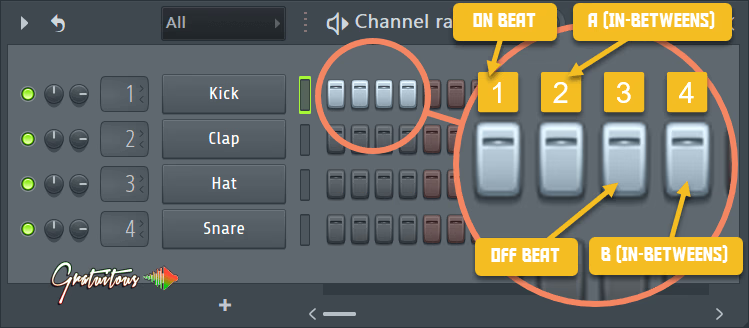
One BEAT in FL Studio's step sequencer has 4 STEPS that repeat for each BEAT (ON BEAT, STEP A, OFF BEAT, STEP B).  Once you get the concept, drum loops become much easier!

Image 4.1 from SAFE SPOTS Book (4 STEPS in 1 BEAT)

It's literally just the first 4 STEPS in FL Studio's Channel Rack (the step sequencer). 4 GREY STEPS make 1 BEAT, then 4 RED STEPS start the next one.. and so on.

That's all SAFE SPOTS focuses on. Get those 4 STEPS figured out in 1 BEAT, and it simply keeps repeating for knowing where you can place your sounds.

SAFE SPOTS is available as a book, course, or bundle which includes the same sounds used in the training.

SAFE SPOTS: Create Amazing Drum Loops eBook by GratuiTous

The Book

SAFE SPOTS Book

151Pages
4Example FL Studio Projects
1Walk-Through Video

The SAFE SPOTS Book teaches you drum loops one STEP at a time.. where each sound is allowed to go (with lots of images), then how the ORGANIC TOOLS fine-tune your loop.

Then open up 4 example FL Studio projects to study how each drum loop is programmed (each one also comes as a drum loop and melody WAV).

Get the Complete Bundle with Drum Bundle TRIO for the exact sounds from the book & projects to follow along easier (and improve your beats!)

Choose Your Bundle

The Video Course

SAFE SPOTS Course

10Videos
1h 10mOf Training
FLChannel Rack

Watch how SAFE SPOTS works, right in FL Studio's Channel Rack.. where to place your sounds, one concept per video.

Then enhance your drum loops for free with the ORGANIC TOOLS (mostly just MIDI data, like velocity) for a more human feel.

You don't need the book to take the course. Reading along is a nice way to learn besides the videos, though.

Choose Your Bundle
SAFE SPOTS: Create Amazing Drum Loops video course by GratuiTous
Xclusive-Audio Drum Bundle TRIO: Urban Heat, Survival and Organic drum kits

The Sounds

The Sounds Used in SAFE SPOTS

3Drum Kits
2,300+One-Shots
24-BitWAV Sounds

Get the sounds used in the SAFE SPOTS Book & Course.. Xclusive-Audio's Drum Bundle TRIO, 3 drum kits in one (Urban Heat, Survival and Organic).

Follow along with the same sound quality, and load every one-shot right into the book's FL Studio projects. Great sounds for all kinds of beats, too.

They come in the Complete Bundle, or you can get the Drum Bundle TRIO on its own right here.

Choose Your Bundle
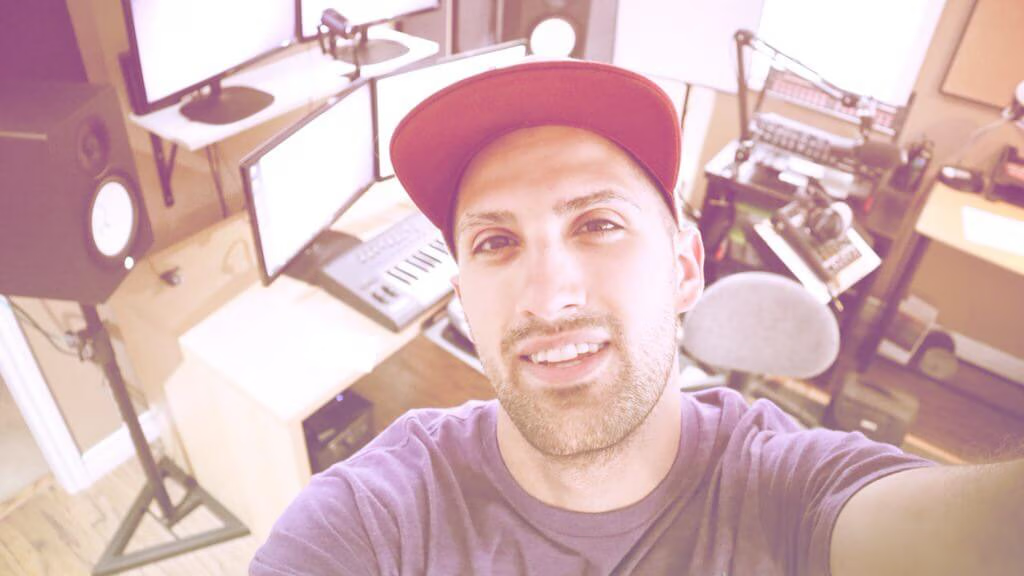
GratuiTous (Riley Weller), FL Studio trainer and beatmaking educator
FL Studio Recognized Trainer — GratuiTous (Riley Weller)
FL Studio Recognized Trainer

GratuiTous (Riley Weller)

About the Teacher

GratuiTous is a beatmaking educator since 2011! He specializes in custom beats with piano improvisation, and making drum loops with one-shot samples.

His Dedicated Beatmaker Training Platform teaches the beatmaking fundamentals, focused on the FL Studio DAW.

GratuiTous has worked with a GRAMMY-Nominated Artist, hosts the Music Production Made Simple podcast, authors FL Studio Books, and is also a self-taught web developer!

Two Ways to Get SAFE SPOTS

Choose Your SAFE SPOTS

The book and course together.. or the Complete (the full meal deal) with the 3 drum kits the examples are built on.

eBook + Course

$47 USD

Choose

What you get, either way 

eBook + Course

$66$47USD

  • 151-page eBook
  • 4 example FL Studio projects
  • Video walk-through of the projects
  • Hi-res SAFE SPOTS infographic
  • SAFE SPOTS video course
Get eBook + Course

Just want one? Get the eBook ($27) or the course ($39) on its own.

Every choice is an instant download or instant course access. You can switch bundle options at checkout.

4.8/5 on Trustpilot (53 reviews)

What Students Are Saying

Great course, very informative and information was really well explained. I have gotten a better understanding on some different techniques to create better drum loops without the need for additional plugins.

Jonathan Aguilar · Student review

I have been looking for some one to break down drum placement for years and on one session I’ve been blown away, and have a whole mind set change on piano for beat makers, I’ve been going the gospel route, got the template WITH A WALK THROUGH, and a PRACTICE TEMPLATE, who does that I got into the life membership and I’ve learned more in the first 4videos than I have by searching along time on YouTube. Best purchase for new beat makers, money well spent, even being respectful of our time by actually responding to emails from his questions box, just amazing! Would have saved a lot of money if I had started here! BEST TUTORIALS I’ve been able to get my hands on

Kevin · Trustpilot review

I have productions in minimal tech and house style. The drum beat building and layering videos are top-notch, helped me a lot to understand the technique of those even in those style Im producing.

Aeris Zachery · Trustpilot review

Frequently Asked Questions

What's in the SAFE SPOTS Complete Bundle?

The SAFE SPOTS eBook (a 151-page PDF) with its starter package, the SAFE SPOTS video course, and Xclusive-Audio's Drum Bundle TRIO: the Survival, Urban Heat and Organic drum kits (2,300+ one-shots).

The starter package holds the 4 example FL Studio projects, a walk-through video, and the hi-res SAFE SPOTS infographic.

Do I need both the book and the course?

No.. the course stands on its own, and so does the book. The book goes deeper with lots of images and the example projects, and the course shows it all on screen.

I already own the SAFE SPOTS book. What should I get?

The course puts SAFE SPOTS into action on video, and the Drum Bundle TRIO is the exact sounds used in the training.

Send me your receipt through the contact page and I'll help you with the price difference.. no need to pay for the book twice.

Which DAW is SAFE SPOTS taught in?

FL Studio, in the Channel Rack (step sequencer). The example projects need FL Studio 20.7 or higher, and each one also comes as WAV loops you can listen to in any music program.

Do I need the Drum Bundle TRIO to hear each drum sound in the example projects?

Yes.. to hear and solo each one-shot drum sample inside the projects, you need the Drum Bundle TRIO installed (it's in the Complete, or sold on its own), and the sounds load in automatically. Without it, each project still comes with its loops rendered as audio (the drum loop on its own, and the drum loop and melody together). So you can open any project and study how each one-shot was placed in FL Studio's step sequencer against those loops.. every step I clicked in is there.

Are the drum sounds royalty-free?

Yes. Xclusive-Audio includes a PDF license with the kits that spells out your rights (it's worth a read).

Does the membership include SAFE SPOTS?

The course, yes (the membership includes every course). The eBook and the drum kits are sold on their own, and they're not part of the membership.

How do I get it after I buy?

Right after checkout, your downloads (the eBook and the drum kits) are in My Account, and the course streams here on the website. Learn at your own pace.

Who is SAFE SPOTS for?

Producers who want to build their own drum loops from scratch with one-shot drum samples. If you mostly drag in pre-made loops, SAFE SPOTS teaches a different way of working (clicking in each sound yourself).

What's the refund policy?

If it's not for you, you have 30 days to ask for a full refund.

151 pages · 10 videos · 3 drum kits

Ready to Know Where Your Drum Sounds Go?

In short, SAFE SPOTS shows you where you're allowed to place your sounds.. then the ORGANIC TOOLS fine-tune them.

Choose Your Bundle

Questions before you buy? Contact me directly, I answer personally.

Oh yeah.. want to hear the drum kits first? Grab some free Drum Bundle TRIO sounds!

SAFE SPOTS eBook, video course and Xclusive-Audio drum kits