Spend $50, get $25 OFF — applied automatically.
Skip to Content Skip to Navigation Skip to Footer
Join Membership
Home/FL Studio/How to Change the Metronome Sound...

FL Studio · Field guide

How to Change the Metronome Sound in FL Studio

GratuiTous · Created: Nov 9, 2026 · ~1 min read

How to Change the Metronome Sound in FL Studio

Want to change the metronome sound in FL Studio? It’s SO EASY.. it only takes ONE right click!
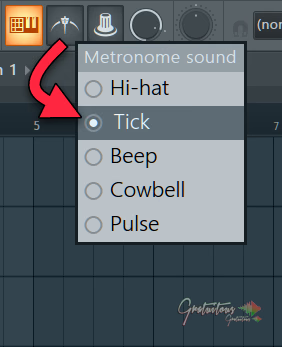
FL Studio's Metronome sound menu in the top toolbar, with Hi-hat, Tick, Beep, Cowbell and Pulse options
  1. In FL Studio, in the top toolbar look for the Metronome icon.
  2. Simply right click it.
  3. Select between the Hi-hat, Tick, Beep, Cowbell and Pulse sounds (the one with the dot is the sound you’re using now).

That’s how simple it is to change the FL Studio metronome sound!

To actually enable/disable the metronome in FL Studio, simply just left-click the metronome icon itself.

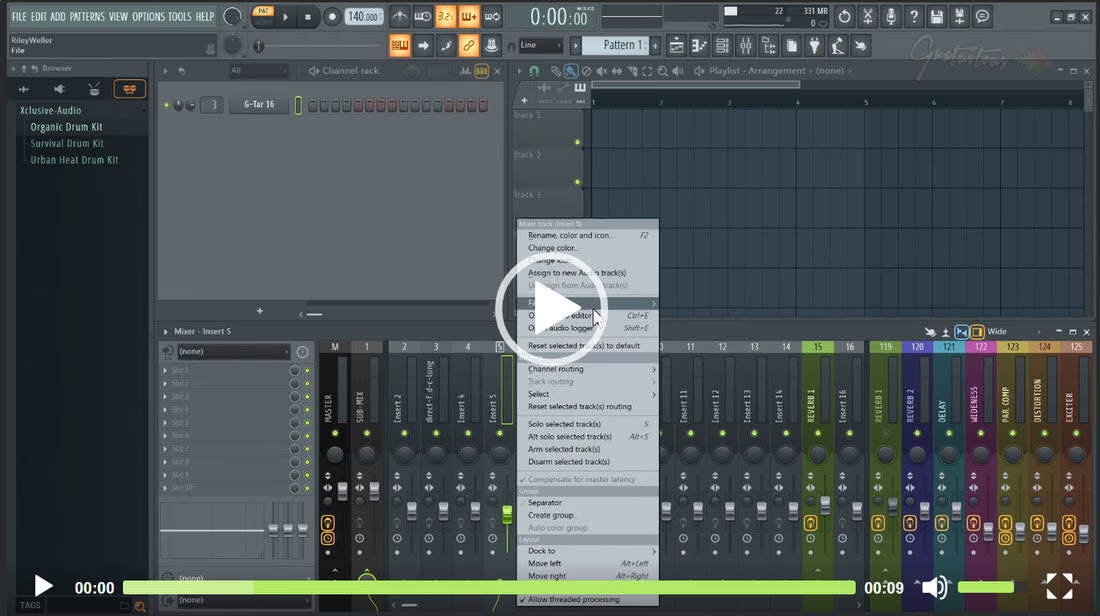
Oh yeah.. if the metronome is too loud, you can put the metronome on its own mixer track in FL Studio and lower its volume there!
Your next step

Build a folder system you can trust.

Join Membership

Keep learning

Related guides.

Community

Questions

The complete library

Learn once.
Keep everything.

Lifetime Access includes the full course library today and every future course. Pay once, or choose a payment plan.

All-course access$297.00
Join MembershipStart free
GratuiTous Radio Start free Join Membership 0:00/0:00